Teams, crests and rosters
Set each team’s name, colour, crest and record, and load a squad in seconds.
Set up a team
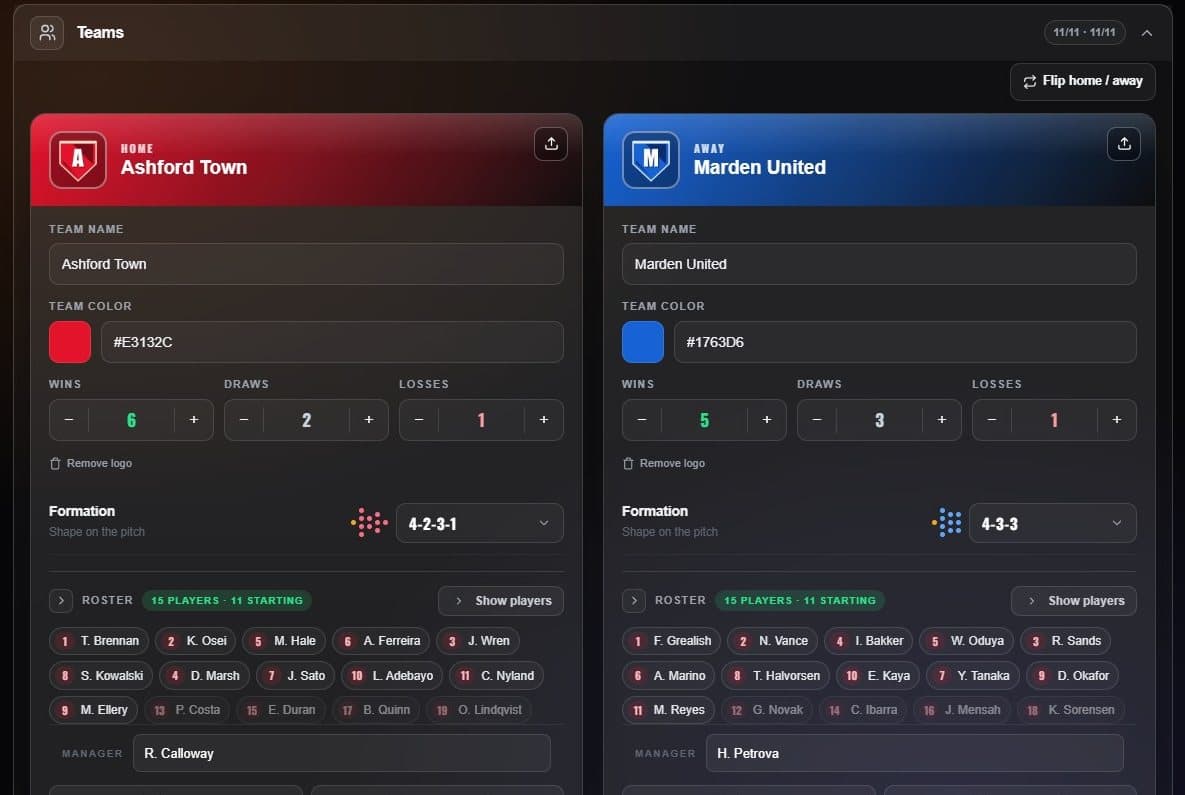
- Flip home / away Swaps the two sides in one press.
- Colour Pick a colour or type a hex code.
- Record Wins, draws and losses.
- Formation Used to lay out the team sheet.
- Roster The squad, with starters marked.
Upload a crest with the button on the team’s header. A transparent PNG looks best; any image up to 5 MB works.
Load a squad fast
Open the roster and paste a list straight from a spreadsheet, a CSV, or plain lines like 10 Messi. Headers are skipped and positions are matched where they are recognised. To add headshots, pick a folder of photos named by shirt number (7.jpg) or surname (smith.jpg).
Save a team for next time
Save team keeps the name, colour, crest, record and full squad. Browse saved loads it into either side of any board.