Scorebug style, fonts and colours
Pick from 36 scorebug styles and set the fonts, colours and background.
Choose a style
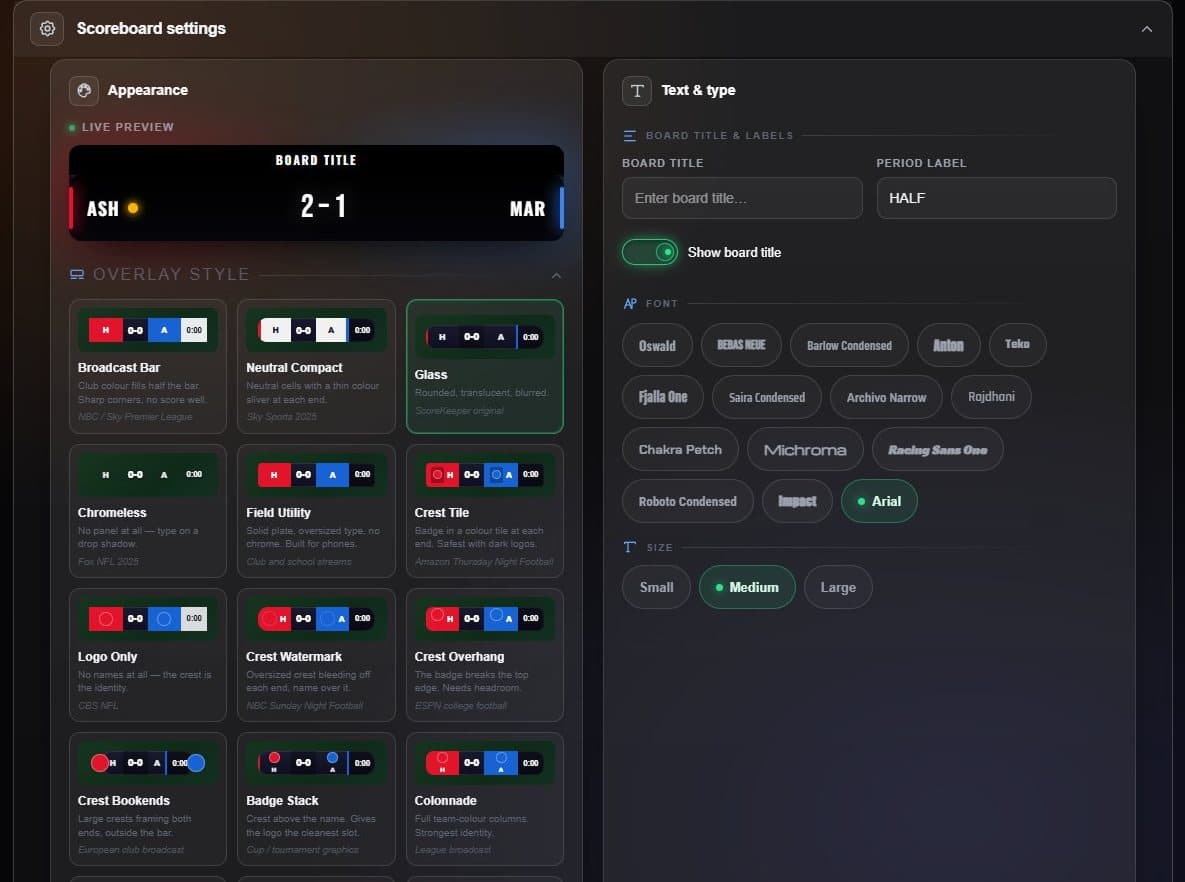
- Live preview Drawn from the style itself, so it matches what airs.
- Styles Only the styles that suit your sport are offered.
- Font Fifteen broadcast fonts.
- Size Small, Medium or Large text.
Further down: board and title colours, a board title, the competition strap style, and background transparency — Solid, Glass, Clear, or anywhere between with the slider.
If a switch under Display is greyed out, the style you picked has no room for that element. The switch says which.
Place and size it
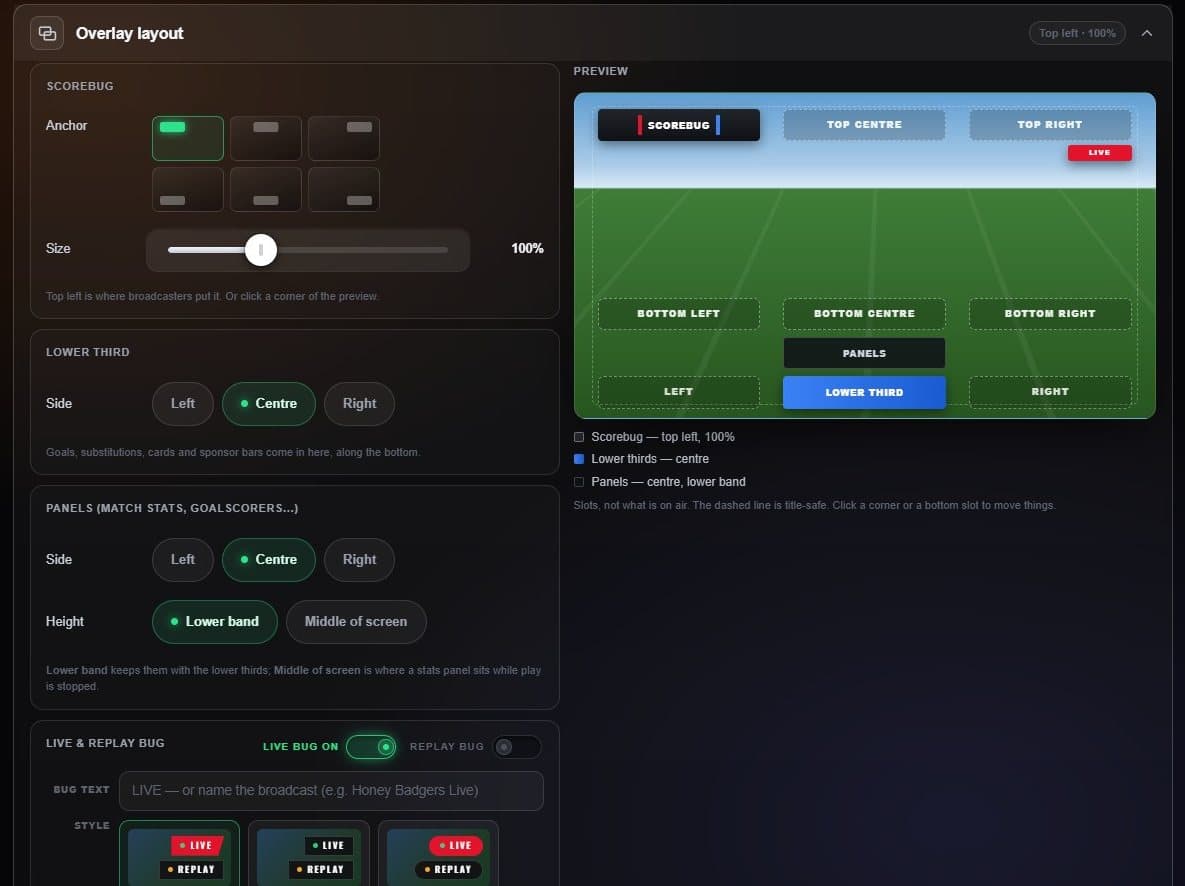
- Anchor Six positions around the frame.
- Size 50% to 200%.
- Preview Click any corner or bottom slot to move things there.
- Lower thirds Left, centre or right.