Run a game from your phone
The control deck becomes a phone layout with big scoring buttons pinned to the screen.
The phone layout
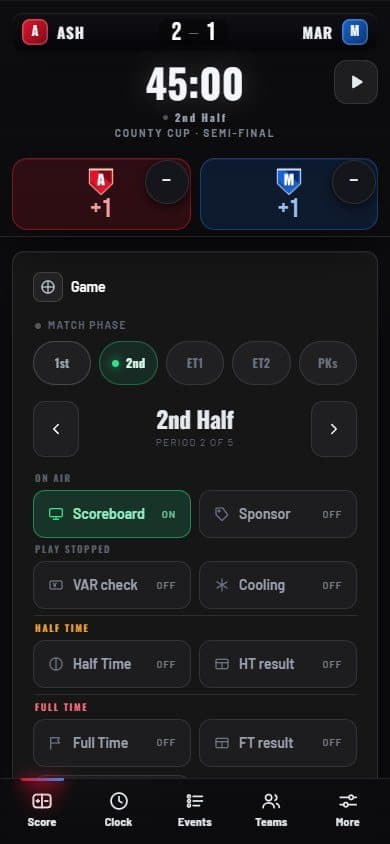
- Clock Start and pause, always within reach.
- Scoring bar A big button per team in its colours, with a minus for corrections.
- Tabs Score, Clock, Events, Teams and More.
Open the control link on a phone and the deck switches to this layout by itself. The scoring bar stays on every tab, so you can score from anywhere.
On your phone’s home screen, use Add to Home Screen to open ScoreKeeper like an app. It still needs a connection — if it drops, a notice tells you so.