Dashboard layouts and the Planner
Choose how your boards are laid out, and plan fixtures on a week or month calendar.
Change the layout
Press Change layout at the top of the dashboard. The choice only changes how your boards are arranged, and it is saved to your account, so it follows you to other devices.
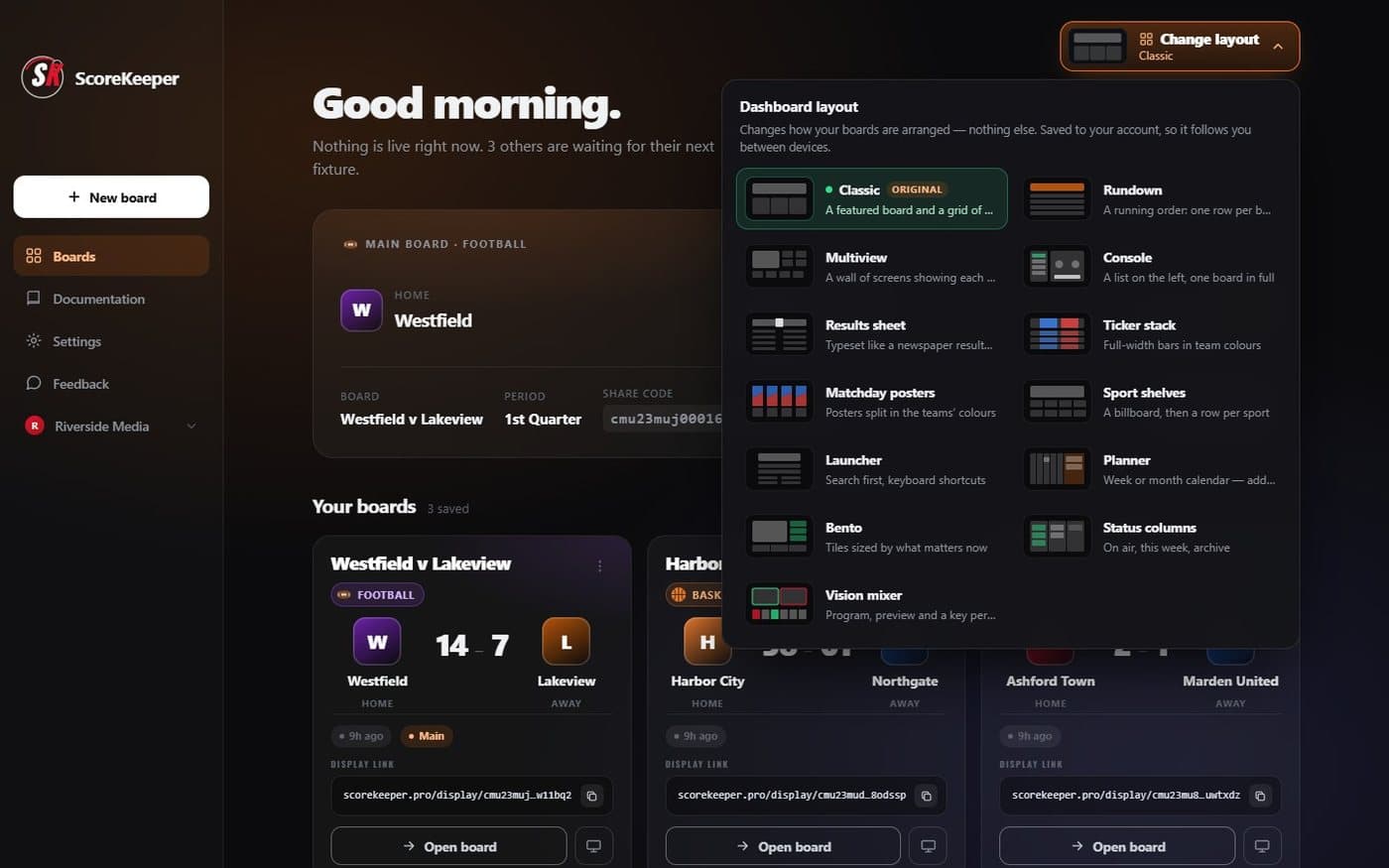
- Change layout Opens the picker. The current layout is named on the button.
- Layouts Classic is the original; each other layout has a one-line description.
Plan fixtures in the Planner
The Planner layout puts your boards on a calendar. Switch between Week, Month and List, and press any day from today onwards to create a board on it — with a sport, an optional name and a start time.
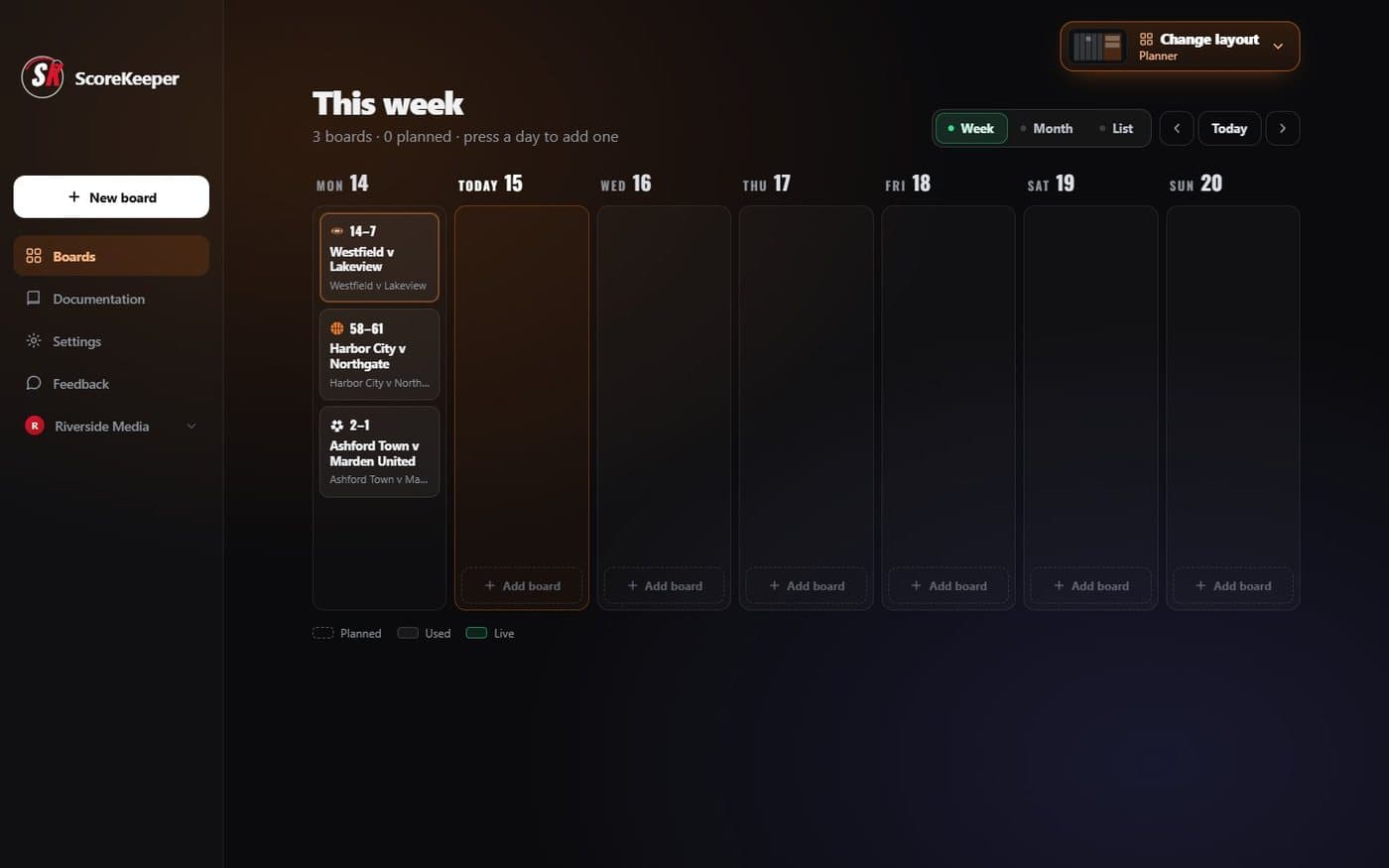
- Week, Month, List List has Upcoming and Past tabs, search and sport filters.
- Add board Creates a board planned for that day.