Goals, cards and substitutions
Log a goal with the scorer and minute and put the graphic on air in two taps.
Log a goal
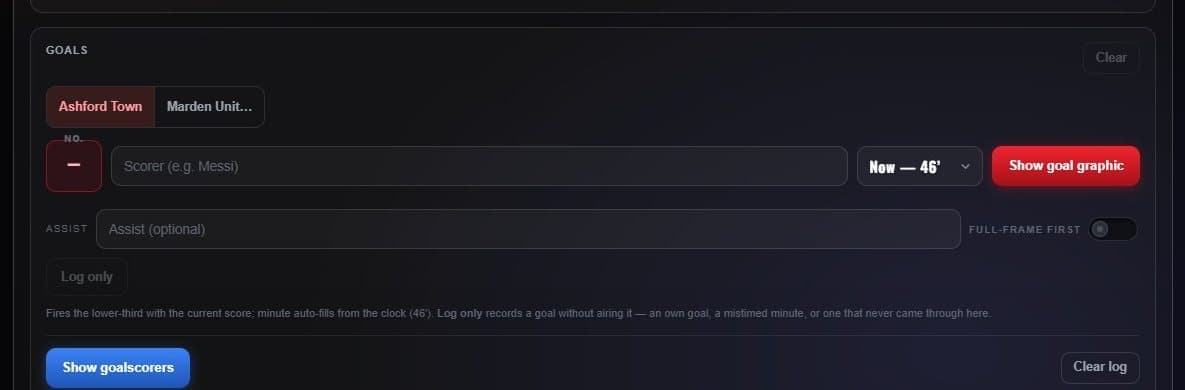
- Team Who scored.
- Shirt number Pick the number; the name fills in from the roster.
- Minute “Now” uses the clock, or pick any minute.
- Show goal graphic Airs the goal bar, which clears itself after 12 seconds.
- Goalscorers Puts every goal so far on air as a card.
Turn on Full-frame first to play a full-screen GOAL! before the bar. Log only records a goal without airing anything.
Substitutions and cards
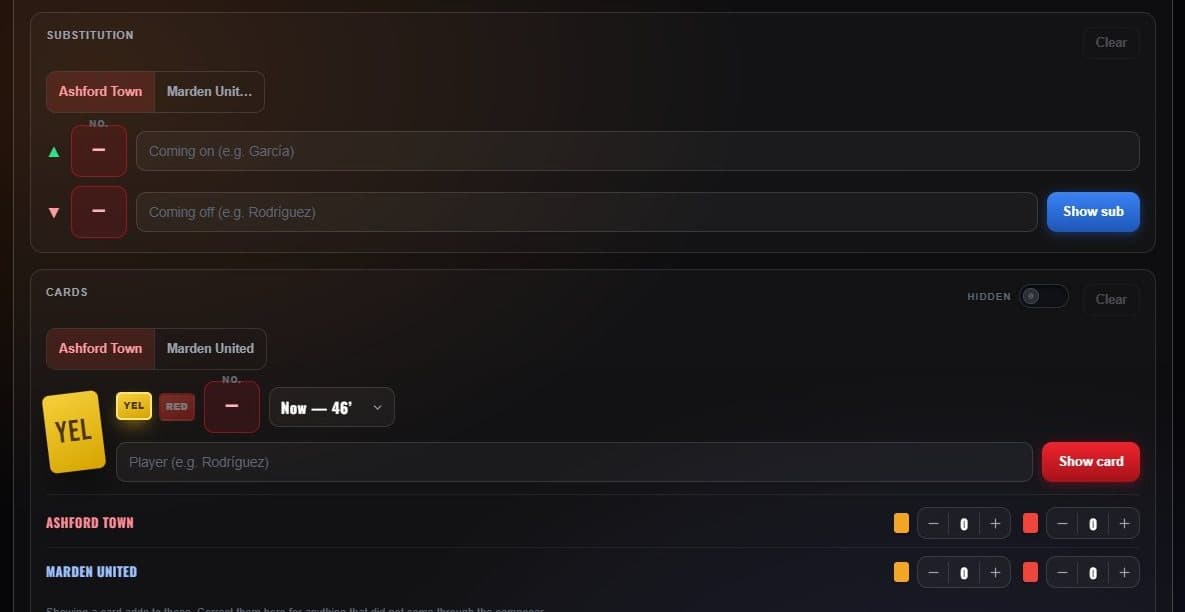
- On and off The players coming on and going off.
- Show sub Airs the substitution bar.
- Card colour Yellow or red, with the player and minute.
- Card counts Each team’s cards, shown as pips on the scorebug.
Scoring in other sports
| Sport | Scoring buttons |
|---|---|
| Basketball | +1, +2, +3 — the basket composer also counts each player’s points |
| Football | TD +6, FG +3, XP +1, 2PT +2, SAF +2 — each one scores, airs and logs the play |
| Hockey | +1 goal, stamped with the period and clock, with two assists |
| Baseball | +1 run, plus hits and errors, and scoring plays that fill the line score |
| Tennis | + Point — games, sets, deuce and advantage work themselves out |